How to Digitize the Energy Saving Certificate (CAE) Step by Step
Digitizing the Energy Saving Certificate (CAE) is a smart move to save time, reduce errors, and ensure regulatory compliance. In this article, we walk you through the key steps, tools, and tips to implement it successfully.
Why digitize the CAE?
Digitizing the CAE process allows you to:
- 📄 Automate repetitive tasks
- 🔒 Improve traceability and document control
- ⏱️ Shorten validation and review timelines
- 🌍 Embrace a more sustainable, paperless approach

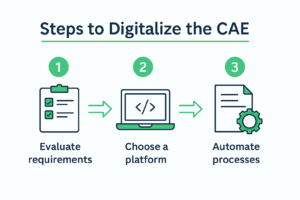
Steps to digitize the CAE process
Below are the essential steps to implement a successful digital workflow:
1. Audit your current process
Before switching to digital, assess how you currently manage CAE documentation. Identify bottlenecks, redundancies, and manual work.
2. Choose the right tools
Select platforms that enable:
- Electronic certificate generation
- Secure document storage
- Workflow automation
Examples include: DocuWare, Signaturit, Notion, among others.
3. Integrate with other systems
Link your digital tools to energy management, ERP or accounting software.
Tips for effective digitalization
- 👥 Train both technical and administrative staff
- 📌 Establish usage and security protocols
- 📈 Monitor results regularly
Common mistakes to avoid
- ❌ Failing to involve the team in the process
- ❌ Choosing non-compatible tools
- ❌ Lacking automatic backup systems

Conclusion
Digitalizing the CAE improves efficiency, sustainability, and positions your company as forward-thinking and tech-savvy.
Not sure where to start? First, learn what the CAE is and take your first step toward smart energy management.